Free 8×10 Photo Print at Walgreens ends on fathers day!
SAVESAVED 0
Accessibility Adjustments
This website has been developed in accordance with applicable web standards and recognized best practices. Accessibility and usability may be further enhanced through the optional settings provided below. For additional assistance, please contact us.

Looking to preserve a favorite memory without spending a dime? Walgreens is currently offering a fantastic deal where you can score a completely free professional-sized photo print. This is a perfect opportunity to print a family portrait, a landscape shot, or a special moment with loved ones.
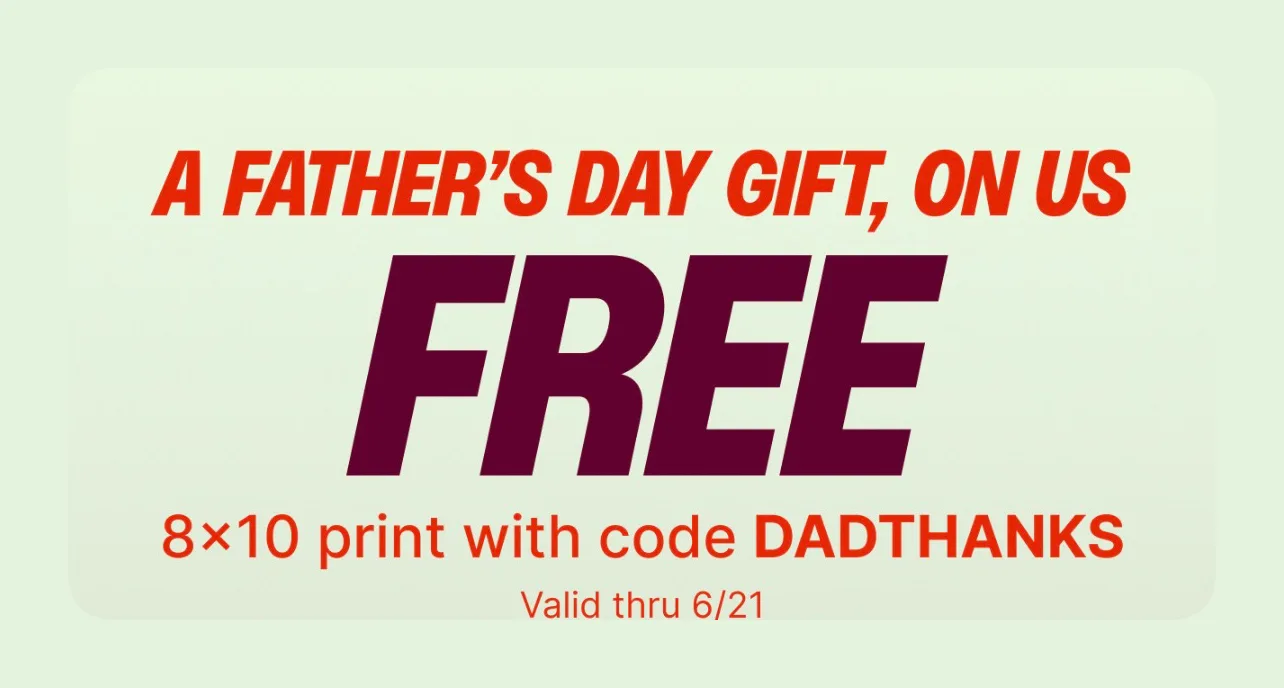
For a limited time, you can order a custom 8×10 print entirely for free. This promotion is running through June 21st, making it an excellent last-minute gift idea. If you are looking for other great gift options, you might also want to check out this free Father’s Day Macy’s perfume sample box.
To claim your free print, you just need to apply a specific coupon code at checkout and choose local store pickup to avoid any shipping fees.
Follow these simple steps to secure your free picture:
Some users experience technical difficulties or errors when trying to apply promotional codes within the Walgreens mobile application. If you run into any issues, simply switch over to a standard web browser on your phone or computer to complete your order directly on their website.
If you want your image to look as sharp and clear as possible, adjust your upload settings before submitting your file. After clicking the upload button in the bottom right corner, look for the “Upload Preferences” option. Switch the setting from “Standard Resolution” to “Full Resolution” and turn off the automatic red-eye correction. This ensures Walgreens prints your image in its original, uncompressed quality. If you have done this in the past, your settings should already be saved.
Before you place your order, keep these terms in mind:
Don’t miss out on this quick and easy way to turn your digital memories into physical keepsakes. Head over to the Walgreens site today, upload your favorite shot, and enjoy your free high-quality print!